
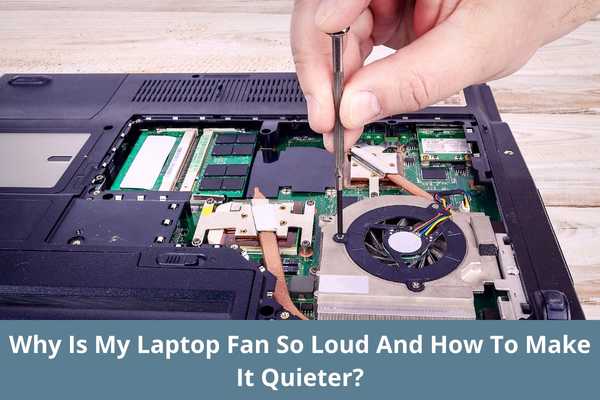
A laptop or a personal computer has become a necessity for every office goer. But they are compact computers and are designed to do specific tasks in a specific environment. When we use them beyond their capacity they behave differently.
A loud laptop fan can be an indicator of many things. So why is the laptop fan so loud and what can be some ways to fix them?
Reason Why Laptop Fan is So Loud
Here are some reasons behind laptop fan noise and some ways to help mitigate it. There can be numerous reasons why a laptop fan is making noise. Let’s look at some possible options,
1. Dust Buildup
When there is too much dust built up in and around the laptop fan, it can’t move freely and starts to make noise. Anyone who is not technical can’t clean a laptop, so you should take the help f a hardware engineer or a serviceman to get it cleaned.
2. Overheating
The laptop fan also makes noise due to overheating. Overheating in laptops happens when there is a blockage in the cooling system may be due to dust clogging or any internal/external part becoming an obstacle to the release of the exhaust air.
Remove any dust or part that is a hindrance to the release of airflow in or out.
3. Old Laptop
Mostly when a laptop gets old the fan parts and the hardware supporting it gets wear and tear, which results in the fan parts making noise. The best solution is to get it replaced with a new one because electronics especially IT parts have a shelf life of 2-3 years due to excessive use.
4. Heavy Operations
The job of the fan is to cool the system of the laptop. When we run heavy operations like playing games, and editing software that uses maximum power of the CPU the fan runs continuously and at full speed, which creates noise.
How to Make Your Laptop Fan Quieter?
After going through the above points you must have realized why your fan is making noise. But what you should do to make your laptop fan quieter?
Let’s see some ways,
1. Clean Your Fan Periodically
We give minimum attention to the cleaning of our laptops. Though we use it in many locations on a daily basis like our office, home, and car, so it is susceptible to dust and dirt. It is a wise move to service your laptop at regular intervals to keep everything running smoothly.
2. Replace it
If your fan is too old then it is better to get it replaced. Old fans do not work efficiently but rather create noise.
3. Using Cooling Pads
Using Cooling pads is a very good option as it helps release the hot air and intake the fresh air. A cooling pad not only helps in ventilating the air but also adds space at the bottom which is an extra advantage. It helps the fan work smoothly without making any noise.
4. Extra Rubber Pieces
If you turn your laptop upside down you will see there are four pieces of rubbers at each corner. They keep the laptop raised so hot air can be released. Adding a few extra ones to raise the base can increase the ventilation system ad it puts less stress n the fan. So makes lesser noise
5. Extra Exhaust
If you are a pro gamer and feel frustrated due to the noise of your laptop fan then you can install an additional exhaust. The lesser the stress on the fan to keep the system cool the lesser the noise.
6. Adjusting the Software Settings
Apart from all the hardware adjustments and replacements, you can also reduce the noise of your laptop fan by adjusting the settings. This setting is for a Windows 11 laptop.
Let’s look at the step-by-step guide on how to do this,
Step-1
The first step is to Open the Control Panel
Step-2
Go to Power Options
Step-3
In the next step, you have to click on your existing power option in my case I have balanced power options. Click on “Change Plan Settings”.
Step-4
Now click on Change Advanced Power Settings.
Step-5
Once you click on the change advanced power settings, a pop-up window will open like this.
Step-6
Now search for “Processor power management”. It will have 3 options
- Minimum Processor State
- System cooling policy
- Maximum Processor State
Under the Maximum processor state, you can lower the percentage for battery and plugged-in. This will limit some power of the CPU and lower the CPU usage lower the fan noise.
Warning
This method can cause some conflict if you are using your laptop for Gaming, editing, or designing purposes. But if you are using this for working on documents, watching films, videos or any other normal task then changing these settings is completely fine.
Conclusion
Laptop fans are designed to keep your computer cool, but sometimes they can be quite noisy. There are a few reasons for this, including dust buildup and damage to the fan itself.
You can clean your fan and make sure it’s in good working order to reduce the noise it makes. You can also try changing the settings to control the fan speed and reduce the noise it makes.